ux-anthocr
Journal Entry I: Fooyin Music Player
Somewhat recently (a couple of months ago) my music subscription got raised to almost double of what I was paying before. Spotify had barred me from the student plan since they have a limit of four years that you can use it. I had to find a new way to download, stream, and play my music without using Spotify. I was not going to pay double on principle (also because I’m a broke college student). I managed to download a significant amount of music that i had on my Spotify from CDs and other sources, but I still needed a player.
This is where I found fooyin it is a highly customizable open source music player for Linux and Windows. I had tried a few other players, but this software was the best fit to organize, edit, and play my music all in one. However, it took quite a bit of setup.
Upon installing the software, I was greeted with this simple layout.
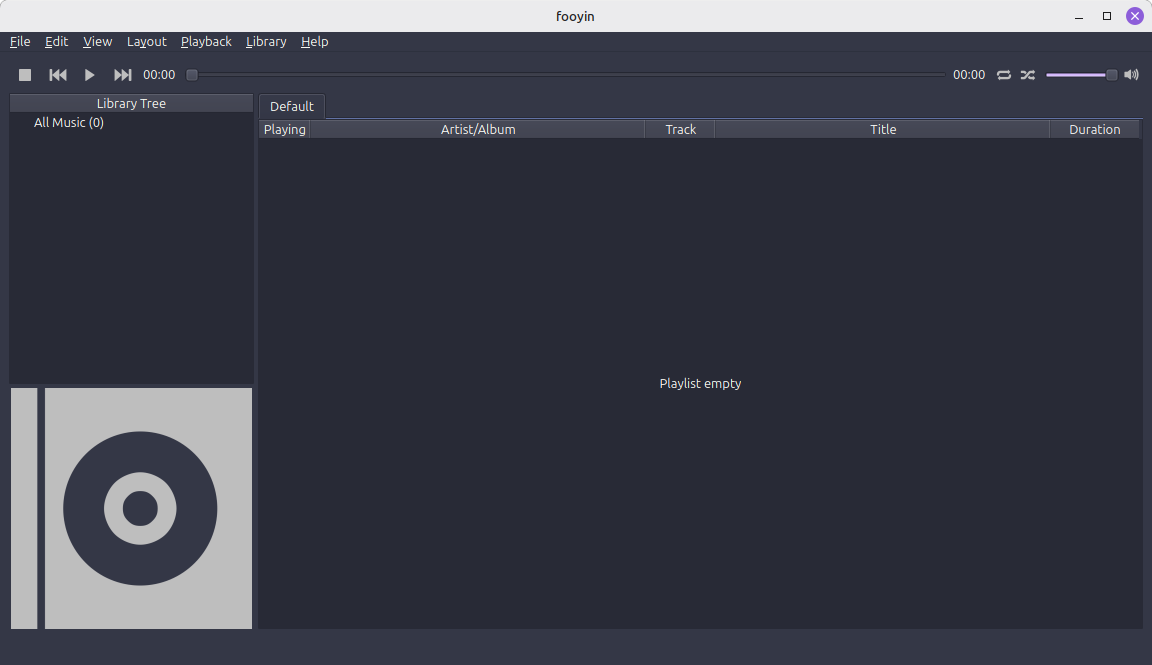
To get the software to look similar to the Spotify layout, I would need to some work. I quickly found the Layout settings in the top bar, I was familiar with this type of design since it is a common convention(a common practice or design pattern) for Linux applications. Here I had a few pre designed layout options to choose from including:
- Simple
- Vision
- Browser
- Obsidian
- Ember
- Gallery
- Waveform
- Radio
After briefly viewing each layout, I choose the gallery layout to start with since I knew that this would be closest to the type of layout I wanted in the end.
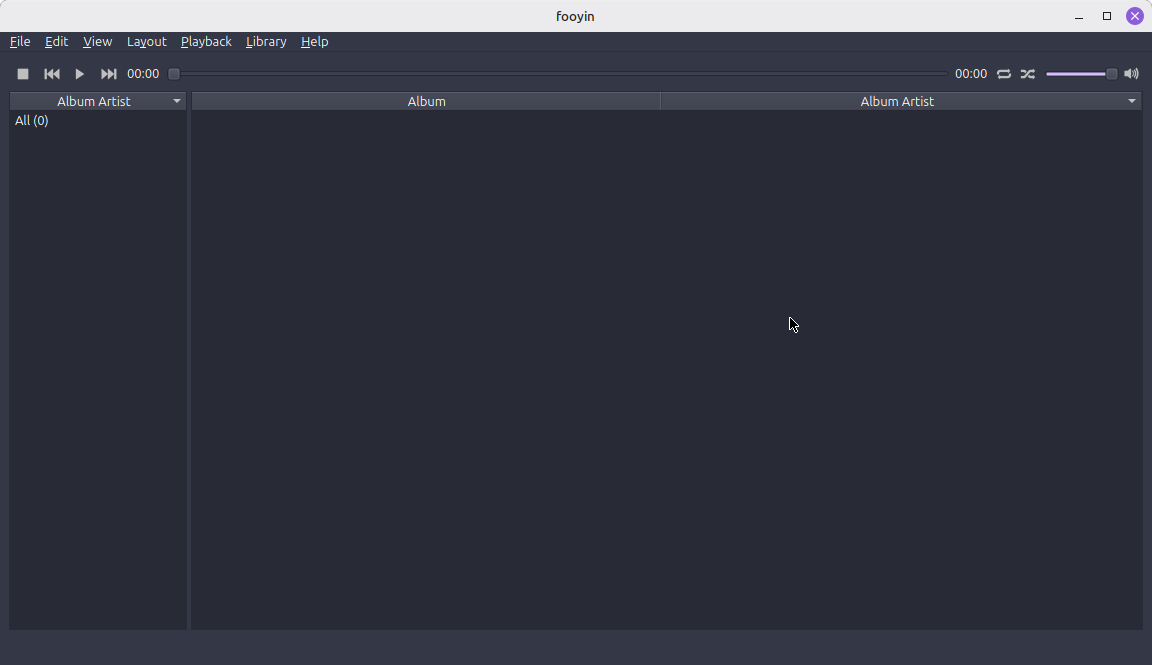
However, I would need to make some serious changes before I got the layout I desired. In order to do this, I would need to add several widgets. Widgets are components of fooyin’s layout that can be placed freely and customized individually. In order to edit the layout, you have to navigate to Layout>Editing mode. Once in editing mode, you can start placing widgets. I started by placing an Artwork Panel widget in my layout. To do this, I right-clicked the Gallery widget then selected Insert after>Artwork Panel with the end result looking like this:
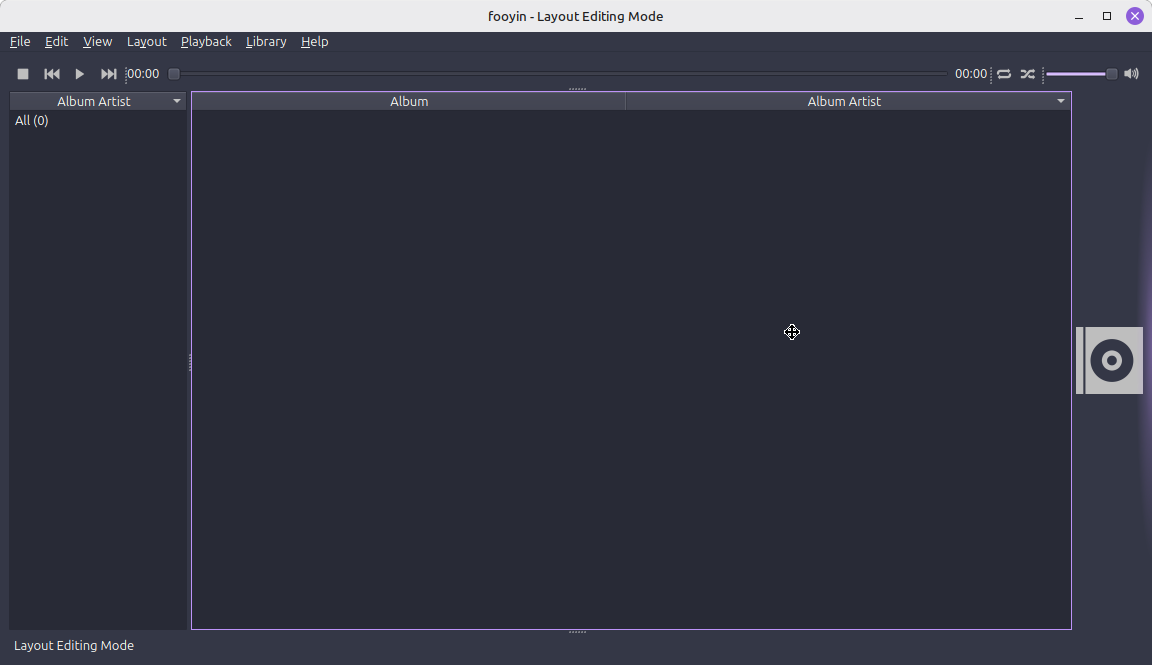
I knew I would also need a widget that helped me view my playlist. I wanted that below the album art. To do this I would need to add two widgets, a Splitter and a Playlist. To add the splitter I would right-click the Artwork Panel widget I just added, and select Split>Splitter (Top/Bottom) under the Artwork Panel section. This would split the right portion of the layout into two sections as so:
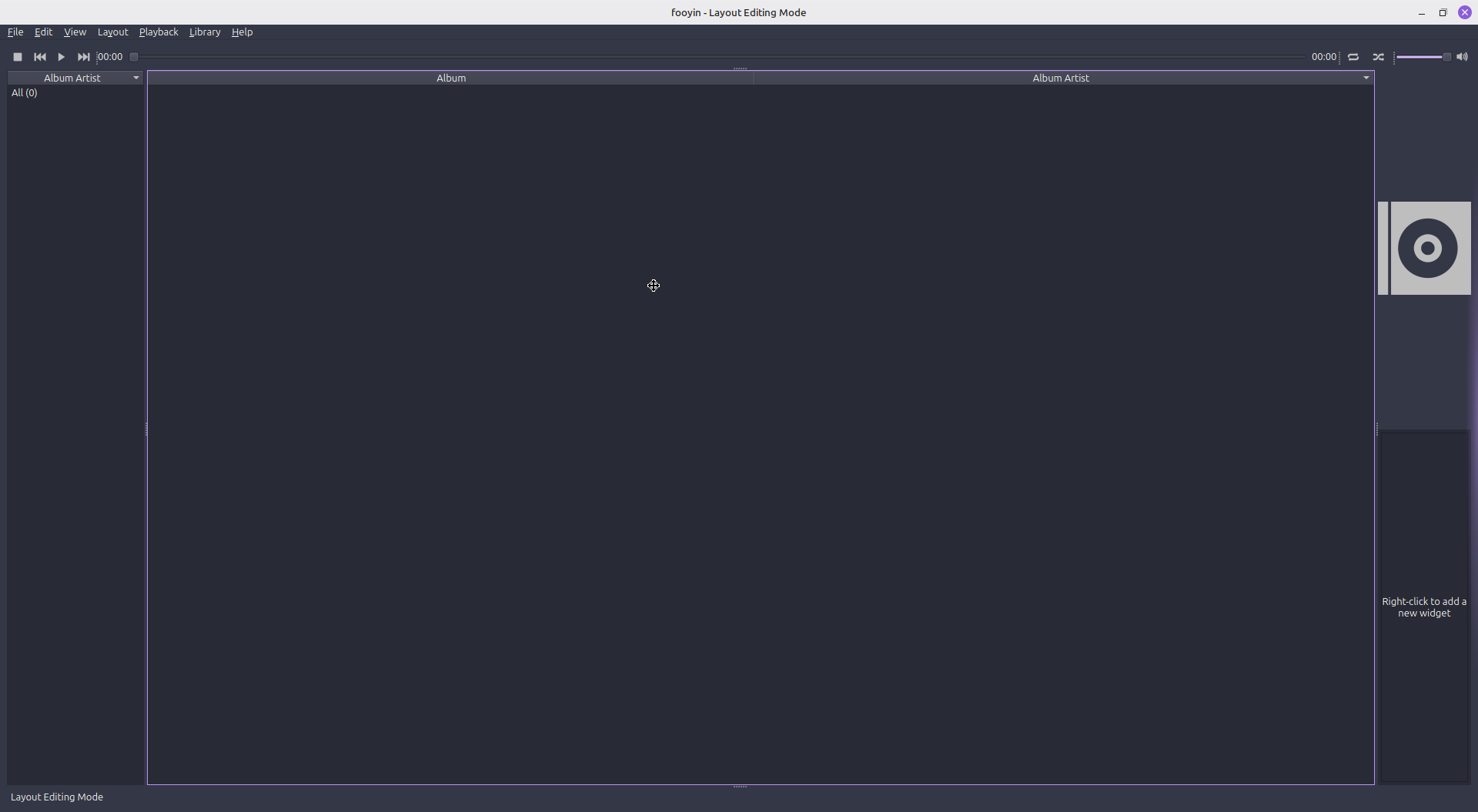
Then to add my playlist I simply right-clicked the empty portion saying “Right click to add a new widget”. I then selected Add widget>Playlist for this result:
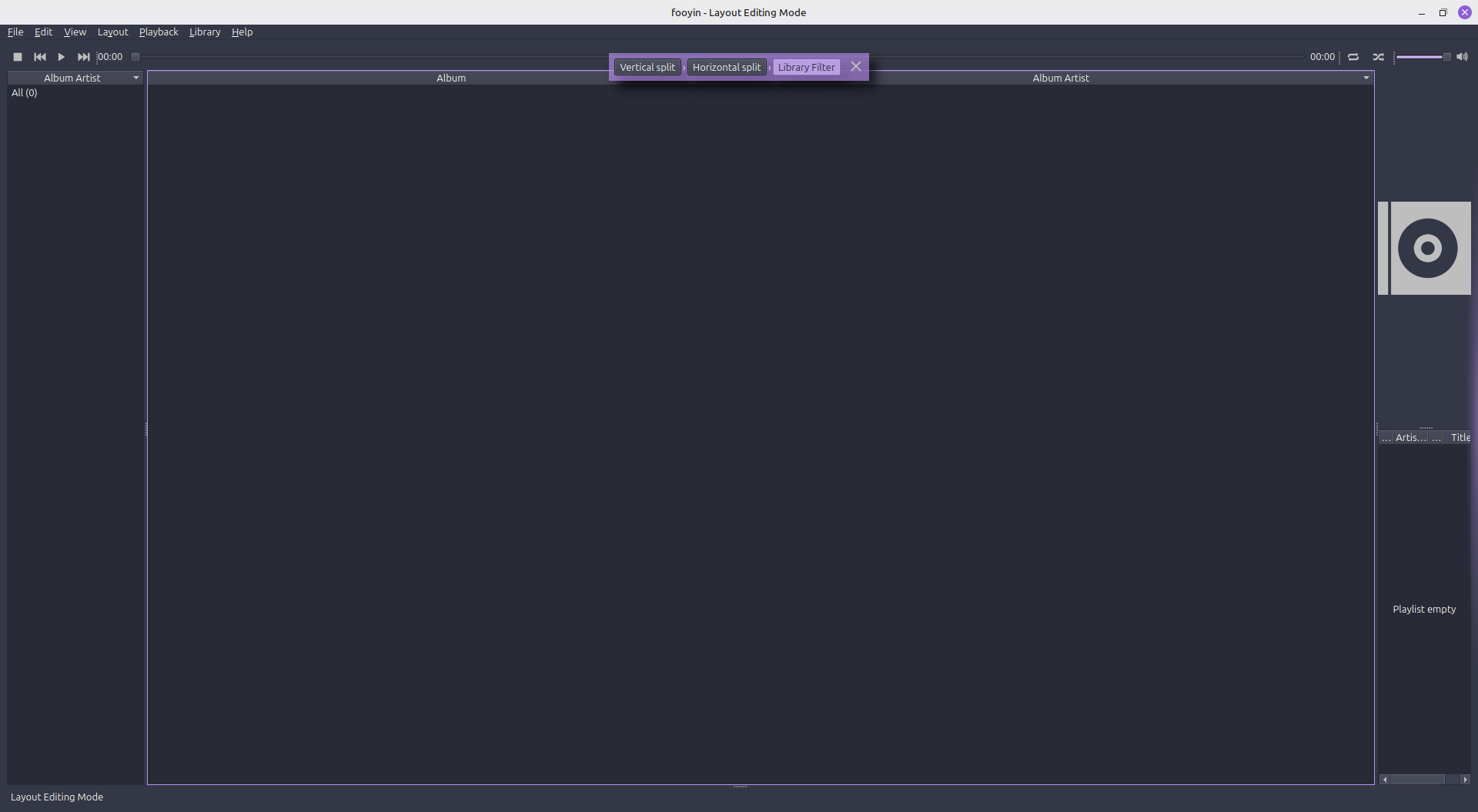
We are now really close to the layout I want! There’s only one more widget I want to add which is a Playlist Manager. I want to add it where the Library Filter currently is. This will allow me to switch through playlists I’ve created easily. To do this I simply right-clicked the widget and navigated to Replace>Playlist>Playlist Manager. I now have the widget on the left side of my screen.
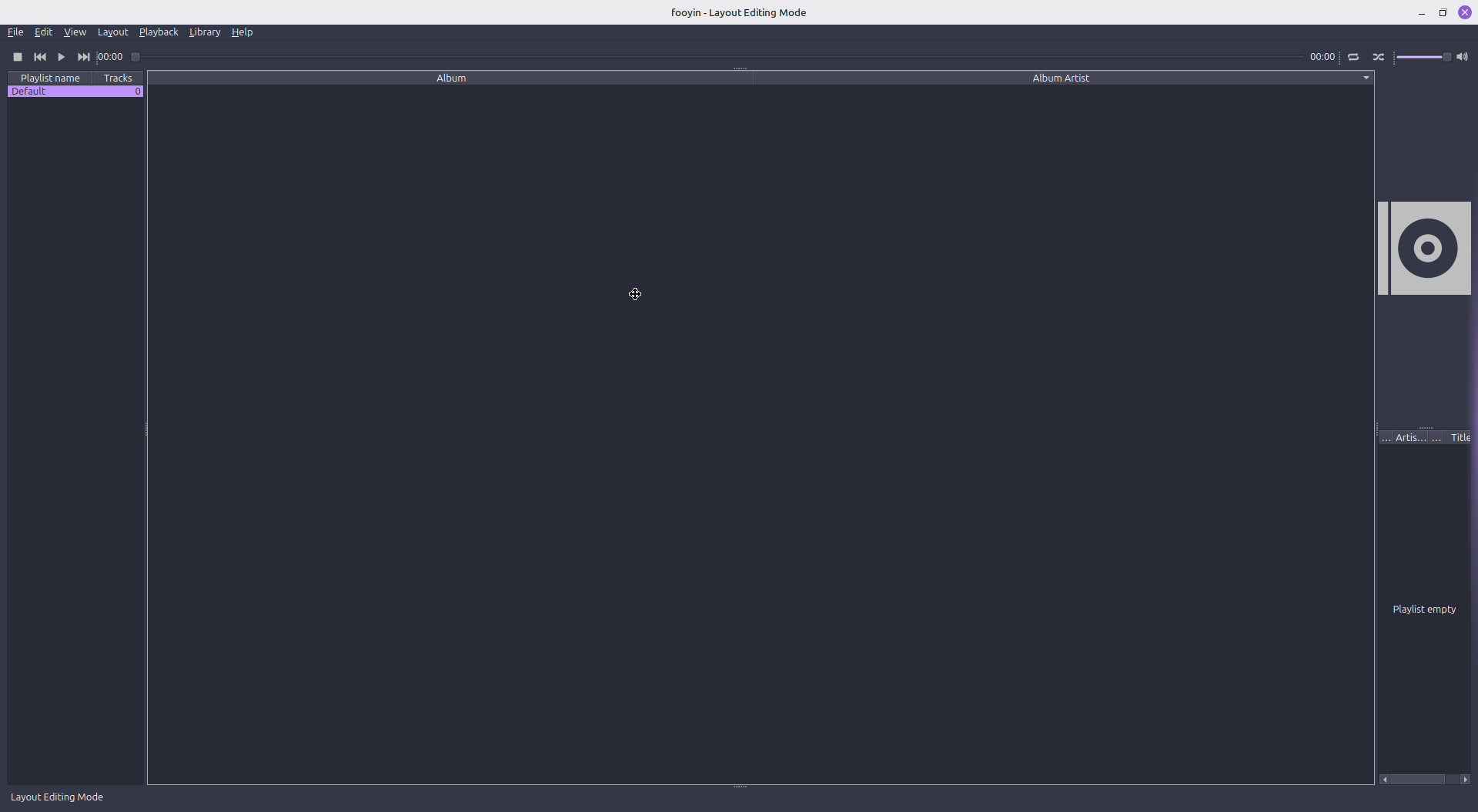
Now that I have all the widgets I want, some of them are not the proper width or height I like. Luckily, this was pretty easy to fix while I’m still in editing mode. I simply can hover over the edges of the splitters and drag them up/down or left/right to adjust the size of the widgets, since they fill the entire space.
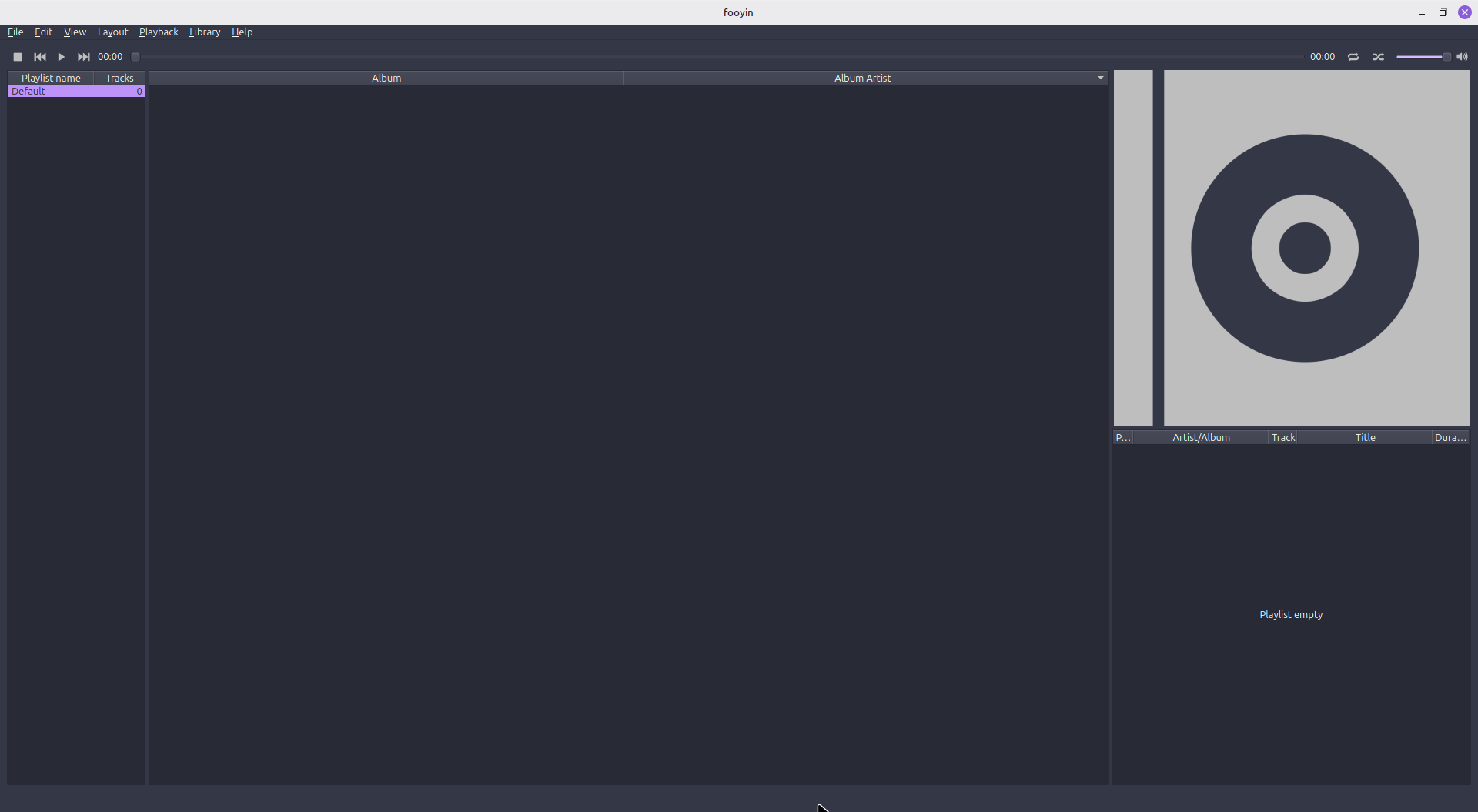
Now I finally have the layout that I wanted! All that’s left to do is add my music to my computer. I have all the files on my desktop so I’ll transfer them over to this device. After I finished transferring the files over I need to add them to my library. To do this I navigate to Library(on the top toolbar)>Configure and it opens the library settings. In this new window I can select the + icon to add a folder to my library. I navigate to my Music/ directory since that’s what I want to track. After I do that I just hit Apply and my library is loaded.
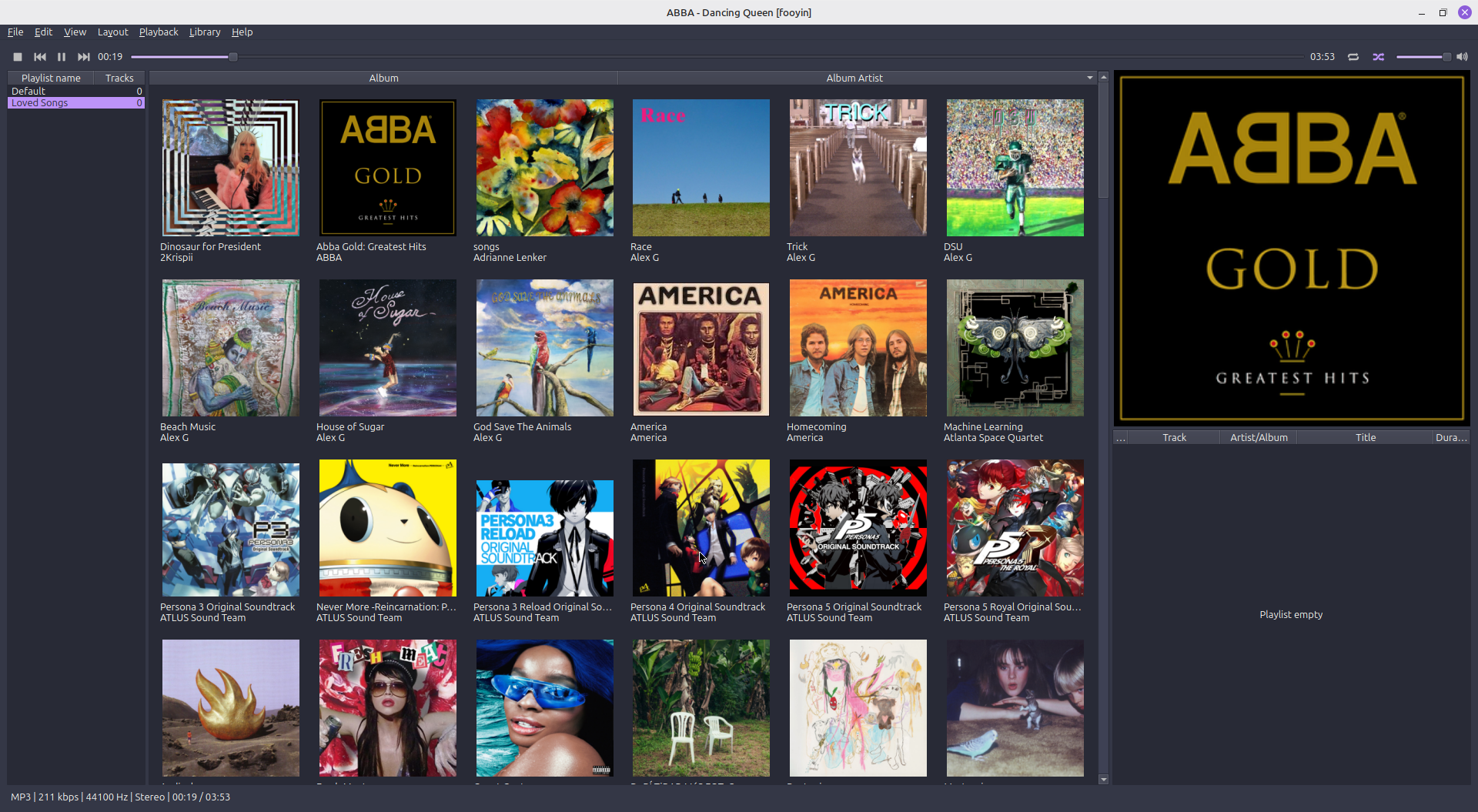
Now I have an alternative to play my music! I am going to want to configure a few more things to get the ideal experience, but the basic functionality is great now. It was relatively straightforward to edit the layout once I figured out the basic concepts. However, the initial learning curve for many of the customization options is difficult due to the lack of significant affordances(design decisions or practices that hint at a specific functionality). There was some documentation to aid you, however the official documentation is relatively sparse with little visual aids.
In the future I want to be able to make some playlists from my previous music platform as well as improve some of the functionality around playback. However, this will require digging through the settings an extensive amount.